
Update on 12 October 2026: We have reviewed and revised this article in line with the latest data protection requirements. In particular, we have clarified the legal basis under the GDPR and the TDDDG, and updated the recommendations on the design and technical implementation of consent banners.
Consent banners are found on almost every website, but many companies still make mistakes that not only affect the user experience but also pose legal risks. Here are the 6 most common mistakes and how you can easily avoid them:
1. Lack of Access to Legal Information and Unclear Data Processing
A common mistake in consent banner design is blocking or restricting access to the imprint and privacy policy before users have made their consent decision. Under Articles 13 and 14 of the GDPR, users must receive information about the processing of their personal data. In Germany, the obligation to provide an imprint generally follows from Section 5 of the Digital Services Act (DDG). Both documents must remain accessible without requiring users to consent first.
Additionally, the purpose of data processing must be briefly and clearly communicated in the banner. Detailed information, such as which personal data is affected, what happens to it, and who has access, can be provided via a link to the privacy policy.
Tip: Ensure that the imprint and privacy policy are always linked in the website’s footer and accessible without consent. Alternatively, you can include a clearly visible link directly in the consent banner. The banner itself should contain a brief explanation of the processing purpose, e.g., “We use cookies for analytics and personalized advertising,” and link to the privacy policy where detailed information is available.
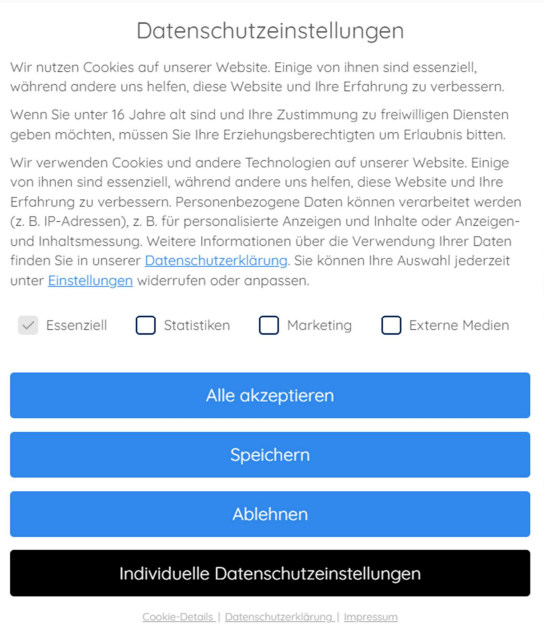
Picture 1. an example that showcases all necessary informations
2. Misleading Design (Dark Patterns)
Another frequent issue with cookie banners is the use of dark patterns. Those are deceptive design elements that subtly push users toward giving consent. Often, the “Accept” button is visually emphasized, while options like “Reject” or “Customize settings” are harder to find or less prominent. This can create the impression that consent is the only reasonable choice.
However, according to Article 7 of the GDPR, consent must be given freely. This means the user must have a genuine choice, without being influenced by the design. If the banner makes it difficult to decline, the consent is not voluntary and therefore invalid.
Tip: Make accepting, rejecting, and customizing consent easy to find and use. Avoid misleading colors, visual emphasis, or additional steps that make rejecting consent unnecessarily difficult. Users should be able to make a free and informed decision without being pushed toward acceptance.
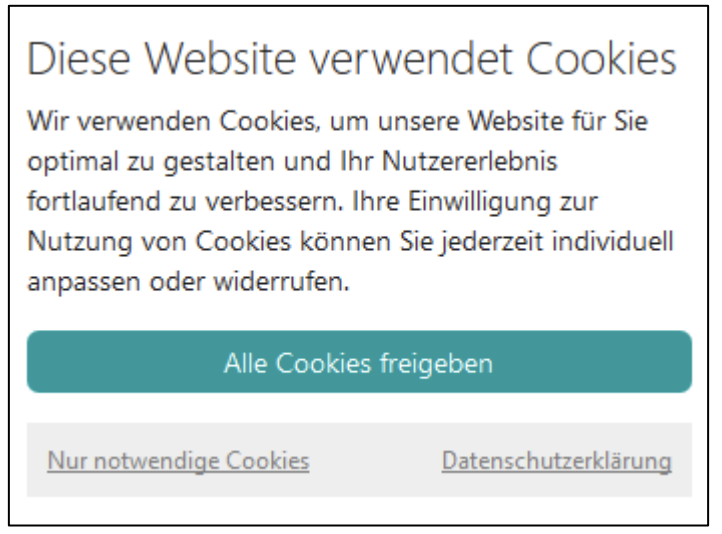
Picture 2. an example for dark patterns
3. No Granular Cookie Selection
Consent must be specific to the purposes for which it is requested. Under Section 25 of the German Telecommunications Digital Services Data Protection Act (TDDDG) and the GDPR requirements for valid consent, users must be able to make an informed choice about different processing purposes.
Where a website requests consent for several separate purposes, such as analytics and personalized advertising, users should be able to consent to them individually. Simply offering “Accept all” and “Reject all” may therefore be insufficient if no further selection options are available.
Tip: Allow users to select individual consent purposes and clearly explain what each option involves. These settings can be provided in a separate preference panel.
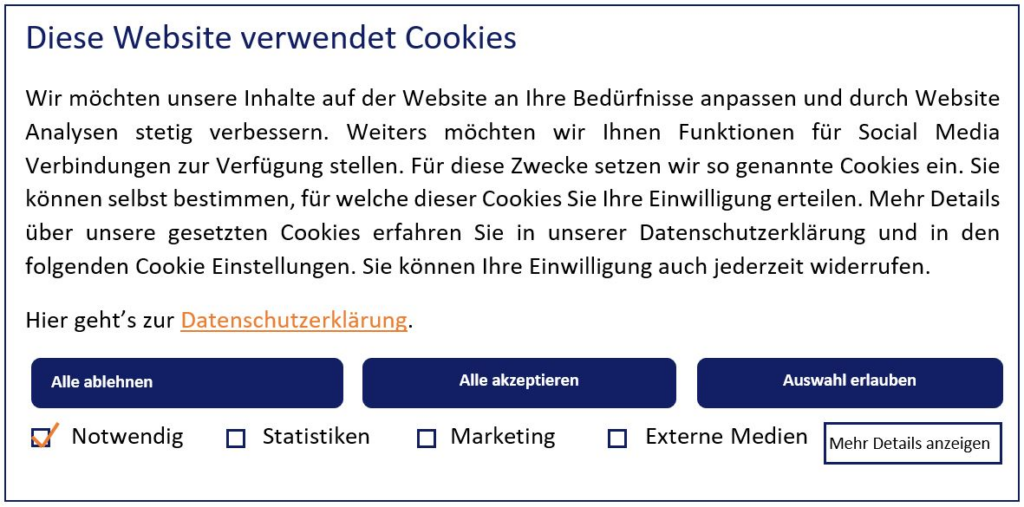
Picture 3. an example with clear options to choose between different cookie categories
4. Vague or Misleading Headlines
In addition to the required information, the language and visual design of the cookie banner play a crucial role. According to Article 12 of the GDPR, information must be presented “in a concise, transparent, intelligible and easily accessible form.” However, many banners use vague headlines such as “We respect your privacy” or “To improve your user experience,” which do not adequately inform users about the implications of their consent.
Tip: Use clear and specific headlines that explain why consent is requested. Make sure the accompanying text describes the purposes of data processing in plain language, so users understand what they are agreeing to.
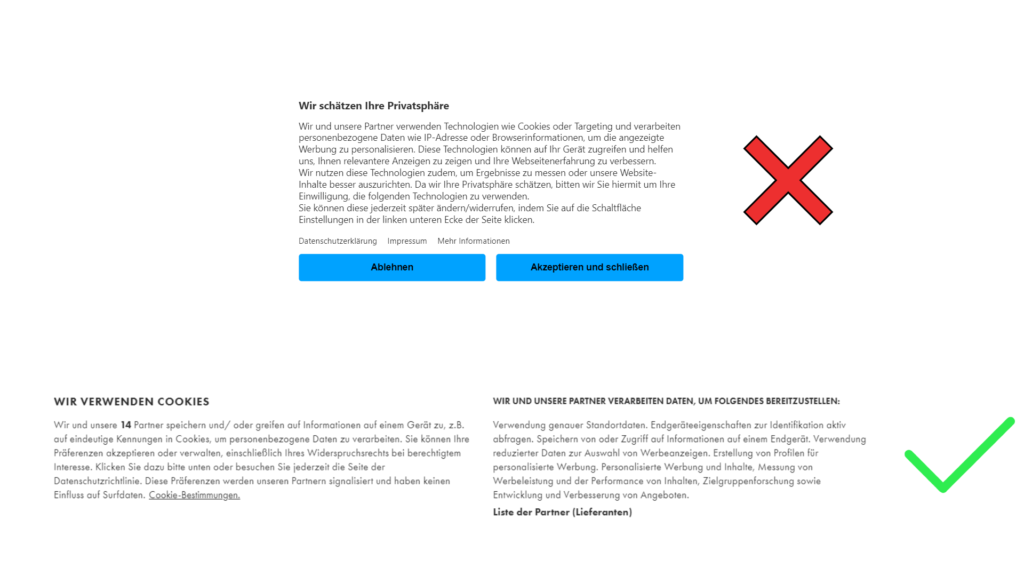
Picture 5. + 6. picture 5 is an example with an unclear title and the title in picture 6 is clear with its intent.
5. No Easy Way to Withdraw or Modify Consent
According to Article 7 (3) of the GDPR, users have the right to withdraw or modify their consent at any time. However, many cookie banners either do not offer this option or make it difficult to find.
Tip: Provide an easily accessible way to withdraw or change consent at any time, for example through a permanent link in the website footer. Withdrawing consent must be as easy as giving it. Make sure the website technically respects the user’s decision and stops processing activities that rely on the withdrawn consent.
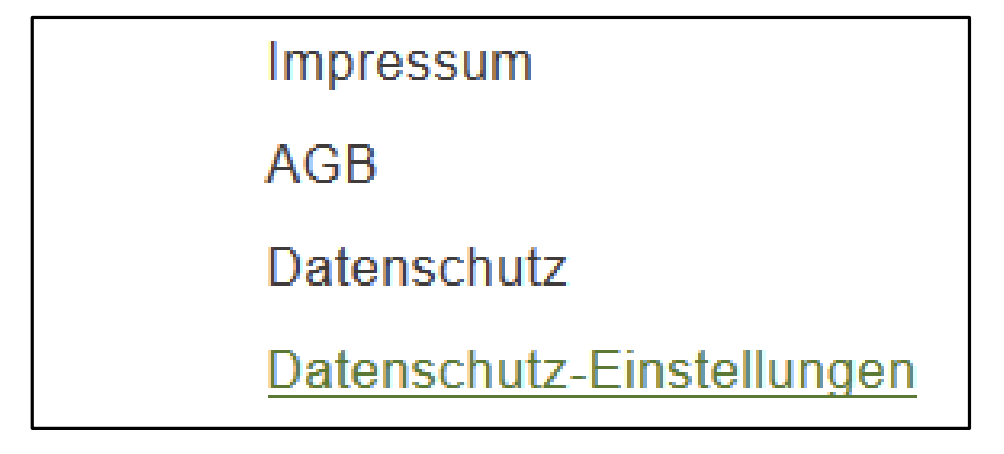
Picture 7. access to the consent layer through the website footer
6. Privacy-Friendly Default Settings
Under Article 25 of the GDPR, websites must apply data protection by design and by default. Consent must also be based on an active decision. Pre-checked consent boxes or automatically enabled optional tracking technologies do not constitute valid consent.
Under Section 25 of the German TDDDG, storing information on a user’s device or accessing information already stored there generally requires consent. Exceptions apply where the operation is solely necessary to transmit a communication over a public telecommunications network or is strictly necessary to provide a digital service explicitly requested by the user.
Tip: Keep optional tracking technologies disabled until valid consent has been obtained. This applies to cookies and other technologies such as Local Storage. Where personal data is processed, a valid legal basis under the GDPR is also required.
Technical Implementation of the Cookie Banner
A legally compliant consent banner also depends on correct technical implementation. Websites must ensure that technologies requiring consent are not activated before users have given their permission.
Under Section 25 TDDDG, this applies to storing or accessing information on users’ devices, including cookies and Local Storage. Where personal data is processed, the GDPR requirements must also be considered.
A common problem is that tracking technologies are activated before consent is given or continue operating after consent has been rejected or withdrawn.
Tip: Regularly check whether your website respects users’ consent decisions. With decareto, you can automatically analyze cookies, storage technologies, third-party requests, and consent-related behavior to identify potential data protection issues.
Continuous website monitoring helps detect changes and new compliance risks when services, scripts, or website configurations are updated.
Sources:
https://www.hh-datenschutz.de/fileadmin/mustervorlagen/Handreichung_Cookie-Consent-Banner.pdf